
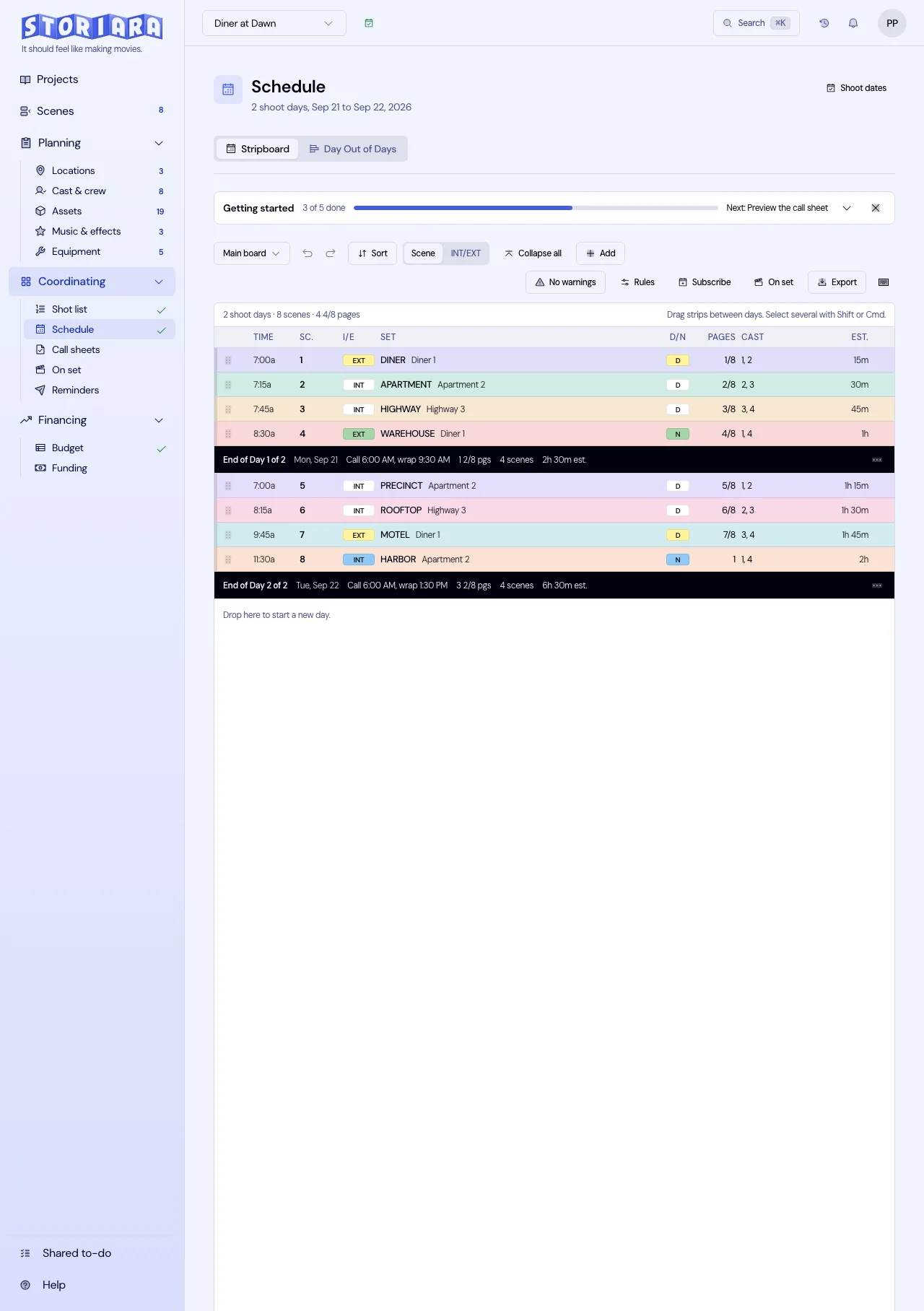
The first assistant director page covers the whole job, from calling rolls to the qualification list. This page stays in prep, where the AD's output is paper: breakdown sheets, a board, a one-line, a day out of days, and the first call sheet. Everything the rest of the crew plans against comes out of those documents, so the handoffs matter as much as the schedule itself.
What the AD owes, week by week
On a 20-day indie with four weeks of prep, the AD's deliverables tend to fall like this:
| Prep week | AD deliverable | Who's waiting for it |
|---|---|---|
| 1 | Breakdown sheets, first-pass board, rough day count | Line producer (budget), UPM |
| 2 | Revised board after locations and cast availability come in, first day out of days | Casting (offers), locations (holds) |
| 3 | Production meeting schedule, safety bulletins, stunt and effects notes | Every department head |
| 4 | Locked one-line, day 1 call sheet draft, revised board for last-minute revisions | Production office, whole crew |
Week 2 is where most boards change the most, because the first pass was built on guesses. The location manager confirms the diner is only available on weekdays before 3 p.m., the lead actor can't work the first Monday, and the farmhouse and the barn turn out to be 40 minutes apart. Each of those locks a strip, and the rest of the board rearranges around them.
Balancing a week in eighths
Totals look fine long before individual days do. Here's a first-pass week one:
| Day | Pages | Eighths | Notes |
|---|---|---|---|
| 1 | 4 3/8 | 35 | Motel exteriors |
| 2 | 5 1/8 | 41 | Motel room, two actors |
| 3 | 7 2/8 | 58 | Motel room plus the parking lot fight |
| 4 | 2 6/8 | 22 | Motel office, one stunt |
| 5 | 3 | 24 | Diner, practical location |
| Total | 22 4/8 | 180 | Average 4 4/8 a day |
Day 3 is carrying 7 2/8 pages with a fight in it, and day 4 has room. Moving Scene 31 (INT. MOTEL ROOM, 1 5/8 pages, 13 eighths) from day 3 to day 4 leaves day 3 at 45 eighths (5 5/8) and day 4 at 35 eighths (4 3/8). The week total doesn't change, and both days stay at the motel, so there's no added company move. Add the numbers in eighths every time. Adding fractions of pages in your head across a whole week is how a 7-page day slips through.
Page count isn't the only weight. A 3/8-page stunt can eat half a day, and a 2-page dialogue scene in one room can go in two hours. Many ADs write an estimated hour count on each strip in week one and balance on hours, keeping the eighths as a check. How many script pages can you shoot in a day goes into those estimates.
When the revision pages land
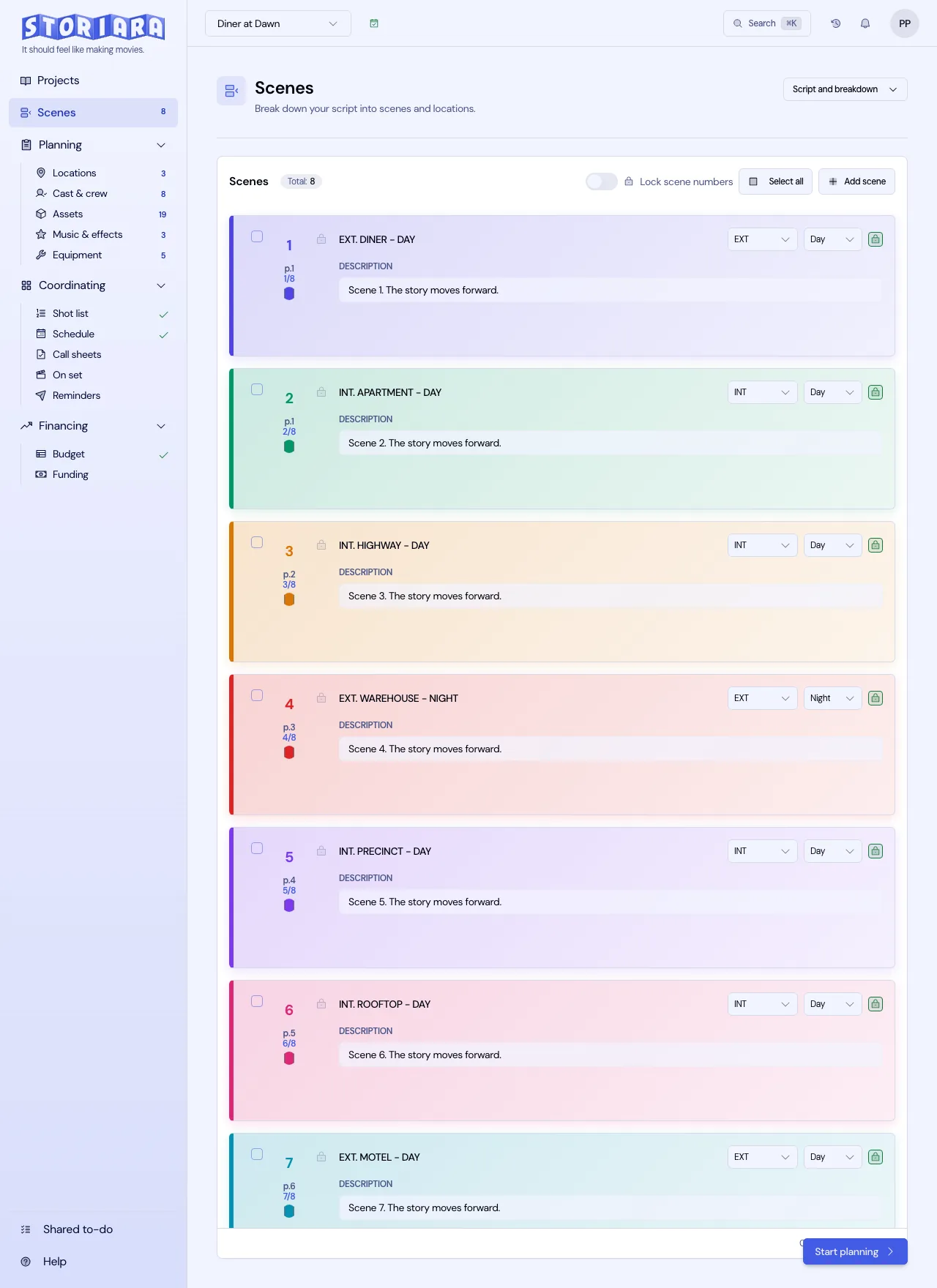
Revisions after the board is built are normal, and the AD's job is to absorb them without breaking everyone else's paperwork. Scene numbers stay locked once the script goes to production: a new scene between 42 and 43 becomes 42A, and a cut scene stays in the script as omitted so the numbers on every department's copy still line up. The scene numbering rules and revision colors guides cover the conventions.
For each revision, the AD's check runs in order. Compare the scene list against the new pages. Update page counts for every scene that grew or shrank. Look for new elements (a speaking role, a car, a gun) that need a breakdown entry. Then find those scenes on the board and decide whether the day still works. The last step is telling people: a short note with the revised one-line listing what moved, so the location manager doesn't have to diff two PDFs.
The handoffs that break
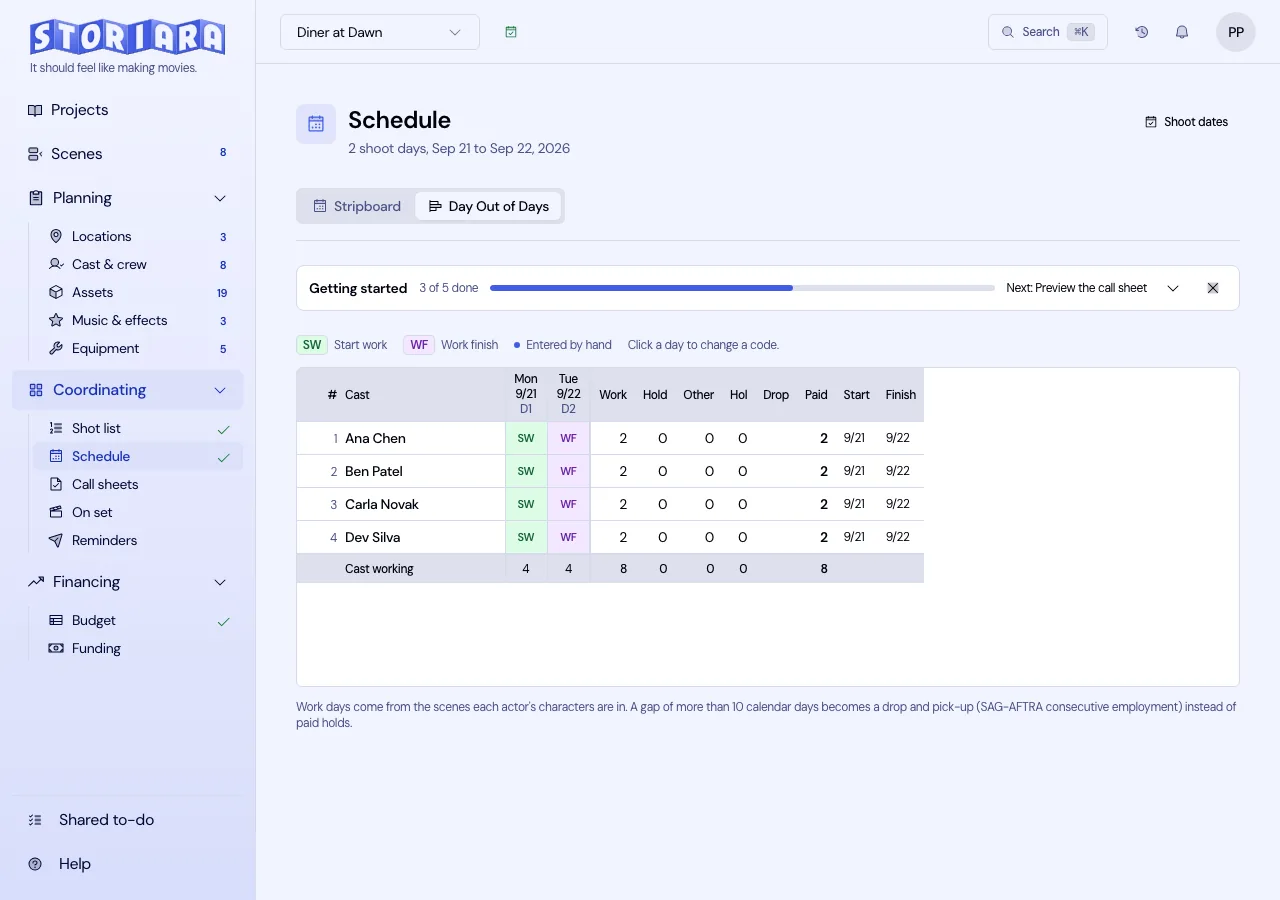
The day out of days goes to casting, and casting builds offers from it. If the board changes after offers go out, a day player booked for days 6 and 7 might now work days 6 and 12, which is a different deal. Tell casting the same day.
The one-line goes to locations, who hold properties on specific dates. A scene moved two days later can mean a location that's no longer available, and the location manager finds out when the owner calls.
The schedule goes to the UPM, who costs it. Night work, extra background, and a crane day all have prices, and the UPM should see a board change before it's printed. Use the stripboard color legend consistently so anyone reading the printed board sees day and night at a glance, and check night-to-day transitions with the turnaround calculator. Night shoots have their own trap, covered in scheduling night shoots.
In Storiara
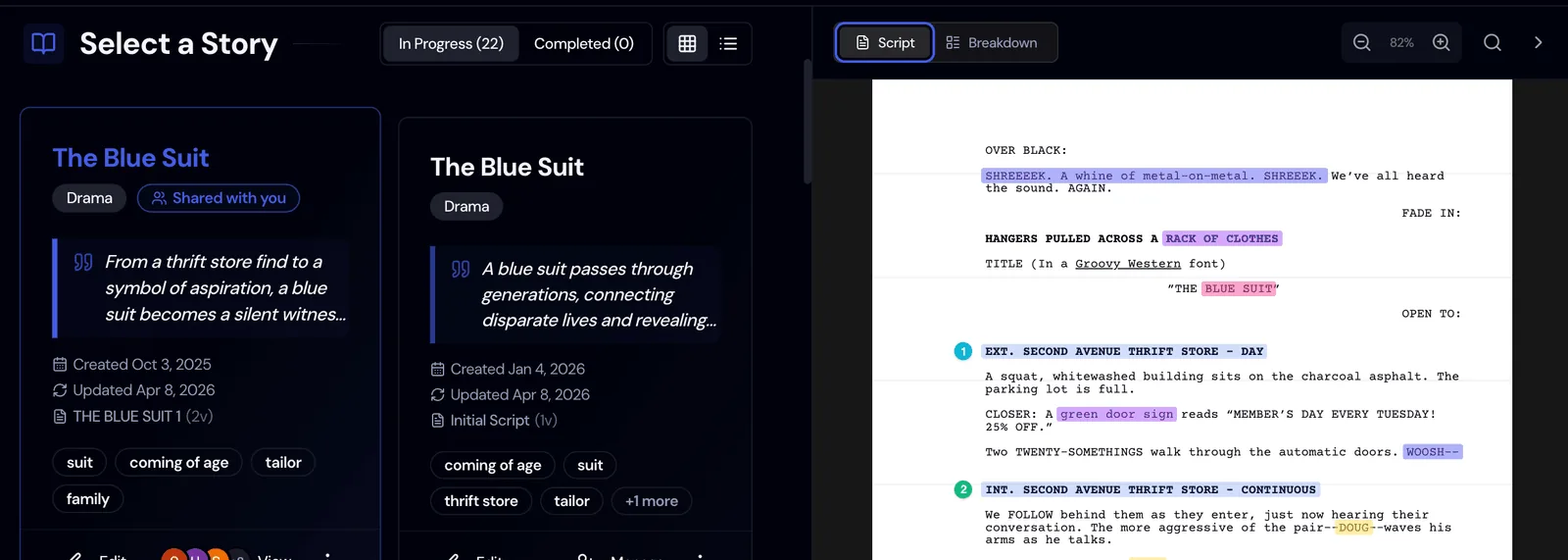
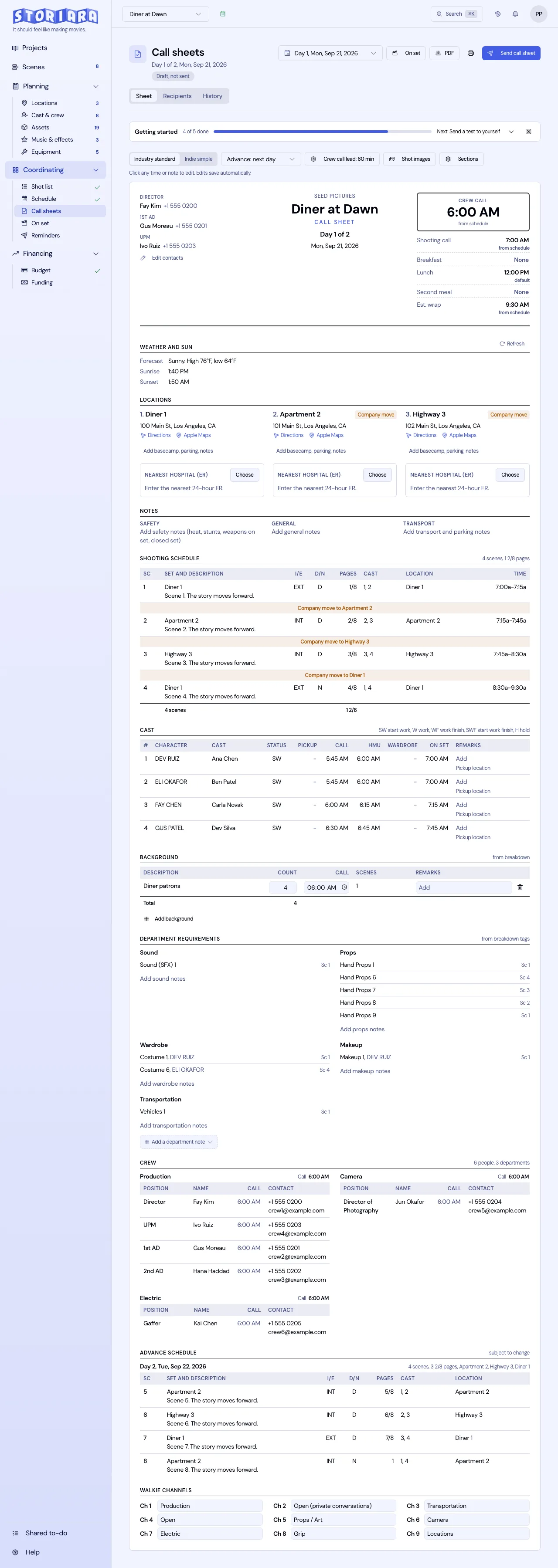
Storiara parses scene headings from an uploaded PDF, Word, Final Draft, Fountain, Highland, Celtx, or WriterDuet script and calculates page counts in eighths from the layout, which are editable. The breakdown lives in the Script & Breakdown View beside the page. The stripboard is manual: you drag scenes, shots, and day breaks into days, with a maximum day length and no overlapping times, and a day availability sidebar showing cast, crew, and location availability. The day out of days fills in for cast from the board, and call sheets are built from each scheduled day. For a longer walkthrough, read Storiara for first assistant directors.