Equipment
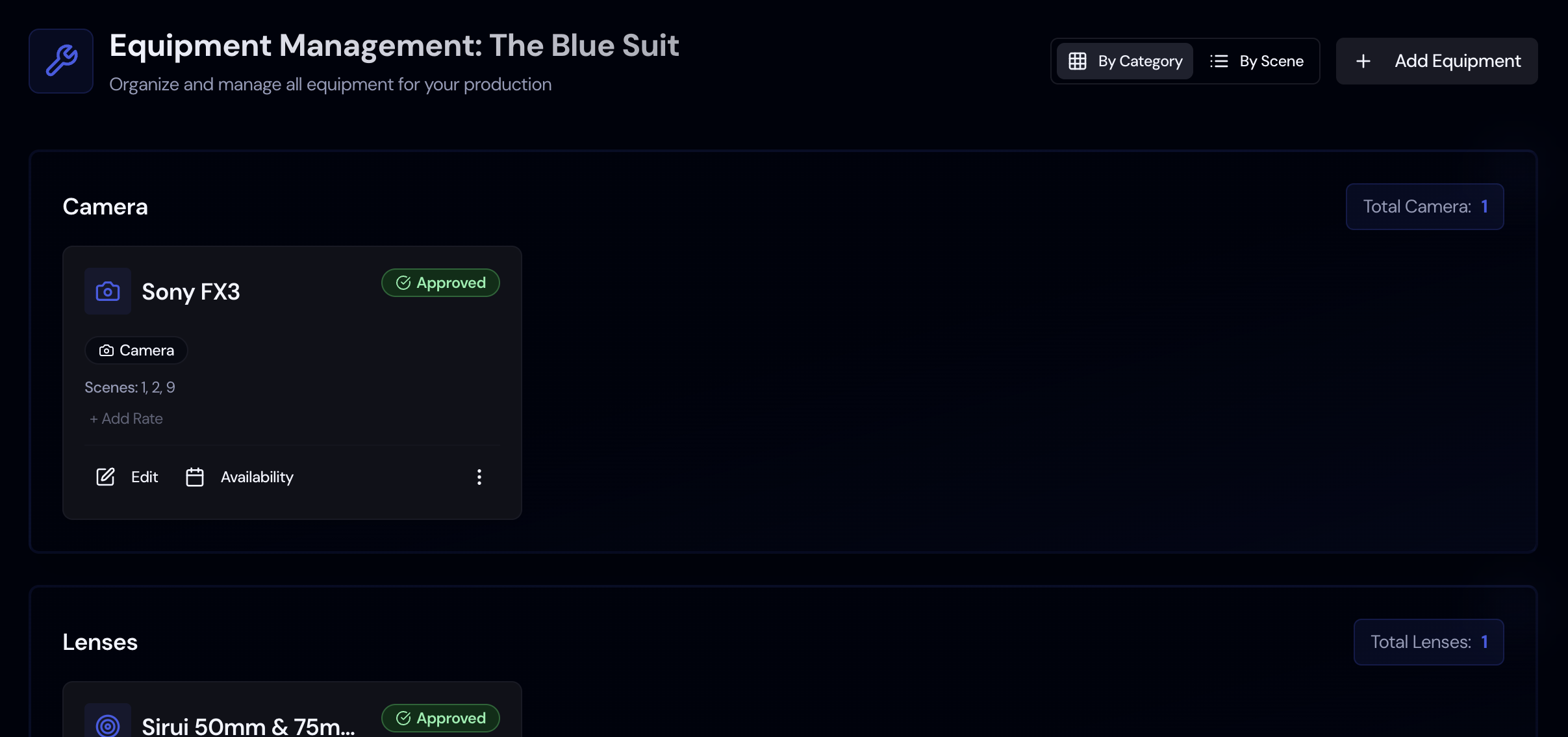
The Equipment page is the production's gear list: camera bodies, lenses, lighting, grip, and sound, with what each costs and when you need it. Unlike the Planning pages next to it, nothing here is pulled from the script, because scripts don't say "Alexa Mini LF with a set of Ultra Primes." You or your department heads build this list from the DP's, gaffer's, and mixer's orders, and the Budget page reads its rates when it syncs.
Add equipment
- Open Equipment in the Planning group. It unlocks once the story has scenes.
- Click Add Equipment. You can also add from inside a category group to preselect that category.
- Start typing in Name. A list of Equipment Suggestions from Storiara's built-in gear catalog appears; picking one fills in the name and category. You can also type any name you like, such as "Grip package, 3-ton."
- Choose a Category: Camera, Lenses, Lighting, Sound, Grip, or Other.
- Enter Estimated Rate ($) and choose a Rate Unit: Per Day, Per Week, Per Hour, Per Use, or Purchase. Once you enter a rate, the unit is required.
- Add Notes (Optional) for accessories, vendor, or quote number.
- Under Scenes (Optional for Special Cases), link scenes only for gear that isn't on the truck every day, like a Technocrane for scene 58. Linked scenes are for reference; they don't change the budget math.
- Save.
For a long order, import from a spreadsheet instead. Click the upload button (tooltip "Upload equipment from CSV/XLSX"), choose the file, click Parse File, fix any rows flagged in the check table, and import.
Manage the list
Equipment is grouped by category, with a running total count. On each card you can:
- Click the rate to change it without opening the form.
- Click Availability to set when the item can be used, or the X on the banner to mark it always available. Availability shows in the Schedule page's day sidebar.
- Use Find in script and Comments.
- Edit or Delete Equipment.
The three-dot menu next to Add Equipment turns on selection for Delete Selected and has Delete All, which asks you to type DELETE ALL. The printer icon prints the list, which works as a checkout sheet for the camera and electric trucks.
How equipment rates reach the budget
When you set up or sync the budget, each item with a rate becomes a line item. The quantity depends on the unit and your number of shoot days:
| Rate unit | Budget quantity | Example on an 18-day shoot |
|---|---|---|
| Per Day | Shoot days | $1,200 x 18 = $21,600 |
| Per Week | Shoot days / 5, rounded up | $3,600 x 4 = $14,400 |
| Purchase | 1 | $450 flat |
Per Hour and Per Use items go in as a single quantity at the entered amount. Categories land in these accounts: Camera and Lenses under 3300 (Camera), Lighting and Grip under 3200 (Lighting), Sound under 3400 (Production Sound). Other also lands under 3300, so move anything that belongs elsewhere (a generator, walkies) by editing the line item on the Budget page.
Tips from rental prep
Most rental houses quote weekly rates on a short-week basis, commonly a 3-day week or a 4-day week, where you pay for three or four days and keep the gear seven. Confirm the terms on your quote, then enter it as Per Week at the weekly price. On the 18-day example above, a $1,200 day rate on a 3-day week is $3,600 a week, and 4 weeks comes to $14,400 instead of $21,600. The day-rate math overstates the order by $7,200.
List packages the way the rental house invoices them. If the camera package is one line on the quote, make it one item; if lenses are quoted separately, add them separately under Lenses. The budget, the quote, and the check request will then line up when the production accountant compares them.
Specialty gear for a day or two (a crane, a process trailer, a drone team) should be its own item with its scenes linked. Enter its rate as Purchase with the total for the days you'll carry it, say $6,500 for one crane day. A Per Day rate would be multiplied by every shoot day in the budget. Linking the scenes reminds the 1st AD to schedule them together.
Crew kit rentals and box rentals don't belong here. They're paid to people, so put them on the crew member's deal and budget them with labor.
Limits
- There's no owned, rented, or borrowed status, and no check-in or check-out tracking.
- No vendor records, quotes, or purchase orders; use Notes.
- The built-in suggestions only fill the name and category. They don't include prices.
- Budget quantities follow total shoot days. Gear needed for part of the shoot needs a manual edit on the Budget page.
- Equipment isn't shown in the mobile view, and the only export is print.
Related
- How to set up a budget
- How to import contacts from a spreadsheet (the same upload flow works for equipment)
- Budget and Schedule
- Glossary: kit rental, box rental, special equipment, check request
- Template: equipment checklist
- Guides: kit rentals and box rentals, film budgeting